


For users who have an external debit or ATM payment solution, now there is a quick payment flow if you are using the mini scan cart.
Please refer to prior news and updates for setting up the mini scan cart: “New Shopping Cart Now Available.” Once you have this shopping cart turned on you can access the settings.
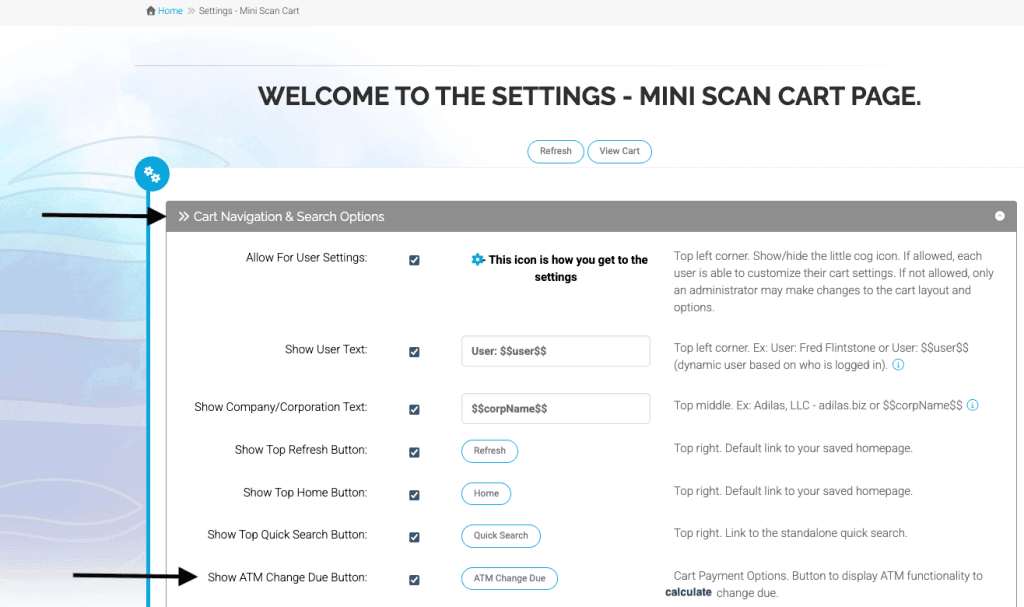
From the first section ‘Cart Navigation & Search Options’ go down to the setting ‘Show ATM Change Due Button’ and check the box. Click submit at the bottom of the page.
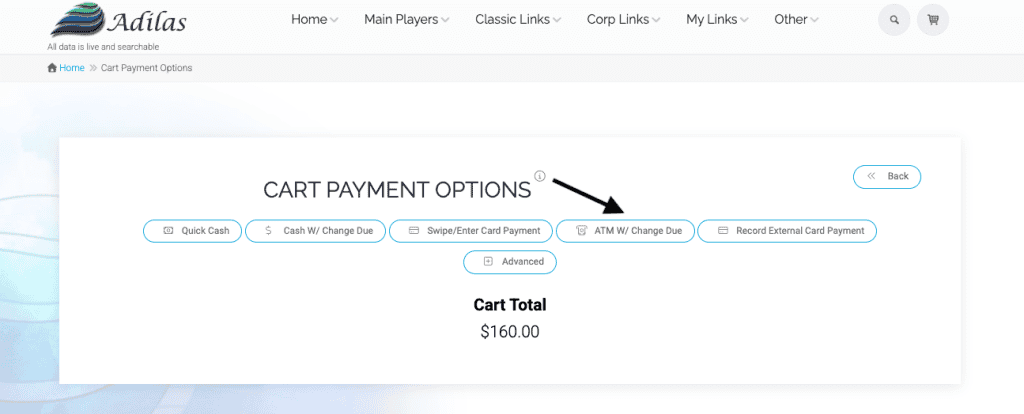
When you go to check out, you will now see the ATM w/Change Due button.
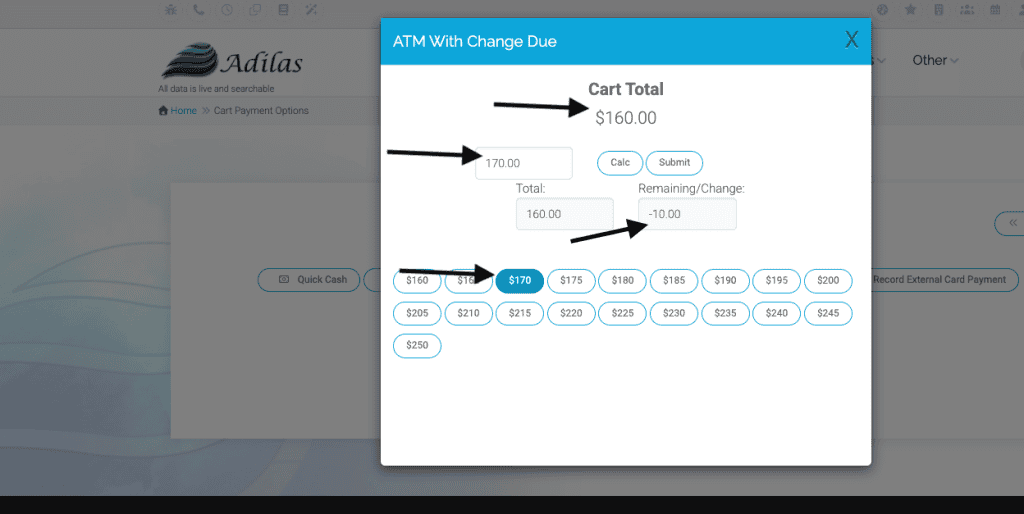
As previously mentioned, this payment type is perfect for a debit or ATM transaction that isn’t integrated with adilas. Click on the button to access the quick payment flow. In the example below, the sale was $160. The customer charged $170 to their debit card or ATM. The cashier simply clicks on the button for $170 and the change is calculated. The payment type is set automatically to debit, and the cc authorization code is completed with the verbiage ATM payment.
Please note: If you are using an integrated credit or debit payment solution this flow is not appropriate, as it auto completes the cc approval field with a generic entry and not an actual cc approval number generated by a merchant processor.
As always, please feel free to reach out to Technical Support at 720-740-3076 or email support@adilas.biz if you have any questions, concerns, or suggestions.