
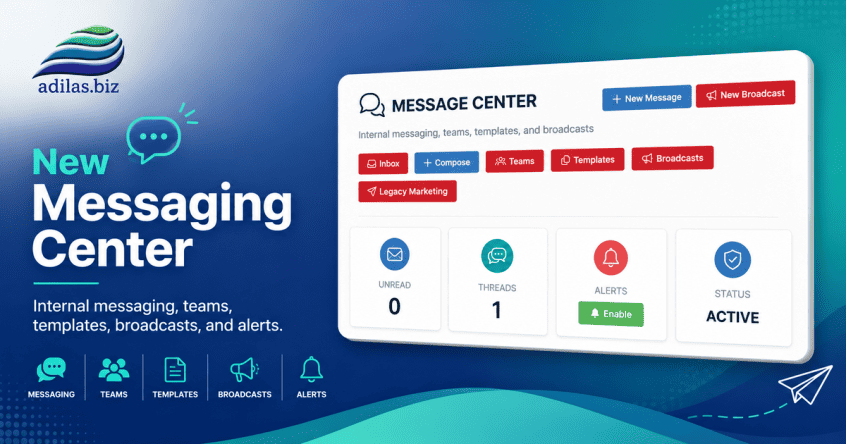
The new Adilas Messaging Center has been completely redesigned to provide a modern communication platform for employees, teams, and customers. The system now supports internal messaging, customer conversations, team collaboration, templates, broadcasts, search functionality, push notifications, and integrated customer communication history.
The goal of this project was to move beyond simple customer logs and provide a centralized communication hub directly inside the Adilas platform.
To access the message center, click on the message symbol at the top right of your page. This will open up all the features listed below.
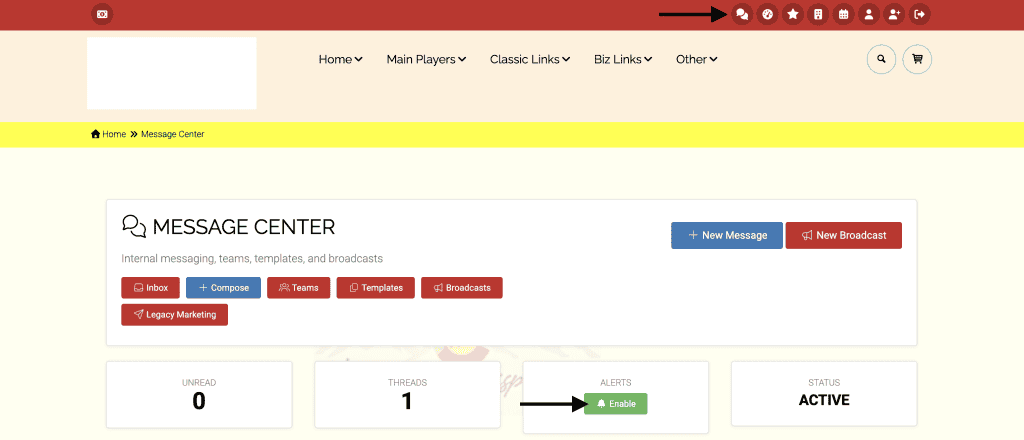
Here are some of the current features:
1) INTERNAL MESSAGING
Employees can now communicate directly within Adilas without relying on outside email systems.
Features:
• Employee-to-Employee Messaging
• Team Messaging
• Group Conversations
• Conversation Threads
• Read Receipts
• Unread Message Tracking
• Real-Time Notification Support
• Message Search
Advantages:
• Keeps communication inside Adilas
• Creates permanent communication history
• Reduces dependence on external email systems
• Improves team collaboration
• Provides accountability and message tracking
2) TEAM MESSAGING
Employees can organize conversations around departments and workgroups.
Features:
• Team Creation
• Team Membership Management
• Team Threads
• Team Communication History
Examples:
• Sales Team
• Customer Service Team
• Management Team
• Inventory Team
• Purchasing Team
Advantages:
• Department communication stays organized
• Easier collaboration
• Shared communication history
3) NOTIFICATION CENTER
The secure employee interface now includes messaging notifications.
Features:
• Header Notification Icon
• Unread Message Counts
• Customer Message Alerts
• Internal Message Alerts
• Quick Access Navigation
Advantages:
• Employees see important communication immediately
• Reduces missed messages
• Improves responsiveness
4) CUSTOMER MESSAGING
Customers can still communicate directly with businesses through the e-commerce.
Features:
• Customer-to-Business Messaging
• Business-to-Customer Messaging
• Threaded Conversations
• Customer Portal Messaging
• Customer Conversation History
• Customer Message Notifications
• Automatic Customer Thread Creation
Advantages:
• Improves customer engagement
• Keeps communication tied directly to customer records
• Creates a complete communication timeline
• Reduces missed customer questions
• Supports support requests, order questions, and customer service
5) CUSTOMER INBOX
A brand-new Customer Inbox was introduced to help employees manage incoming customer communications.
Features:
• View Customer Conversations
• Unread Customer Message Tracking
• Customer Search
• Customer Filtering
• Open Customer Records
• Reply Directly to Customers
• Permission-Based Visibility
Advantages:
• Ideal for e-commerce teams
• Supports customer service workflows
• Helps prevent customer messages from being overlooked
• Creates a shared support queue experience
6) MESSAGE TEMPLATES
Reusable message templates help standardize communication.
Features:
• Template Categories
• Customer Templates
• Internal Templates
• Rich Message Storage
• Template Organization
Advantages:
• Faster communication
• Consistent messaging
• Reduced typing
• Better customer experience
7) CUSTOMER RECORD INTEGRATION
Messaging is now integrated directly into customer records.
Features:
• Customer Message Sidebar
• Recent Conversation History
• Open Conversation Button
• Send Message Button
• Message Counts
• Last Activity Information
Advantages:
• Communication visible while viewing customer records
• Faster customer support
• Better CRM integration
• Improved employee productivity
8) MESSAGE BROADCASTS
Organizations can send communications to large groups of customers.
Features:
• Broadcast Creation
• Audience Selection
• Customer Type Targeting
• Team Targeting
• Recipient Tracking
• Delivery Tracking
Examples:
• Product Announcements
• Service Updates
• Store Closures
• Promotional Messages
• Company News
Advantages:
• Simplified mass communication
• Better customer engagement
• Improved marketing capabilities
9) PUSH NOTIFICATIONS
Browser push notifications are now available for both customers and employees.
Features:
• Browser Notifications
• Mobile Device Support
• Desktop Notifications
• Badge Counts
• Service Worker Integration
• Automatic Subscription Management
Advantages:
• Immediate awareness of new messages
• Faster response times
• Improved customer service
• Modern app-like experience
10) MESSAGE SEARCH
Powerful message search capabilities have been added.
Features:
• Search by Customer
• Search by Employee
• Search by Team
• Search by Message Content
• Search by Date Range
• Search by Thread Type
Advantages:
• Quickly locate historical conversations
• Better record keeping
• Improved customer support
11) SECURITY & PERMISSIONS
Messaging leverages existing Adilas customer permissions.
Permissions Used:
• Add/Edit Client (40)
• Client Admin (41)
• Limited Client Search (133)
• View Only Client (167)
Advantages:
• No new security model required
• Consistent with existing Adilas permissions
• Customer visibility follows current business rules
COMING SOON……
Future enhancements currently under consideration:
• Message Attachments
• Image Sharing
• File Uploads
• Pinned Conversations
• Favorite Threads
• SLA Response Tracking
• Customer Service Queues
• Team Assignment Rules
• AI Assisted Responses
• Advanced Analytics
• Messaging Dashboards
• Message Automation Workflows
As always, please feel free to reach out to Technical Support at 720-740-3076 or email support@adilas.biz if you have any questions, concerns, or suggestions.