
Before you could receive email alerts from PO activity, specifically Internal Build PO’s created through the Build process. Now, when a sale happens, and your inventory drops below the threshold, you will receive emails alerting you to this.
Please refer to the prior News and Updates “Improvements to the Threshold Engine and Report” and “Do You Want to Receive a Notification When Your Inventory Drops Below a Set Threshold?” on how to set this up in your system.
There have been some updates to the code in order to make it work better. Now, when you go to the threshold engine, it will have one column labeled ‘threshold’ which is where you will enter your values. The second column with the ‘i’ icon above it is only for storing old values that you may have entered. All relevant values will go in the first column, called ‘threshold.’ This column will work for any unit of measurement that you have set for the item.
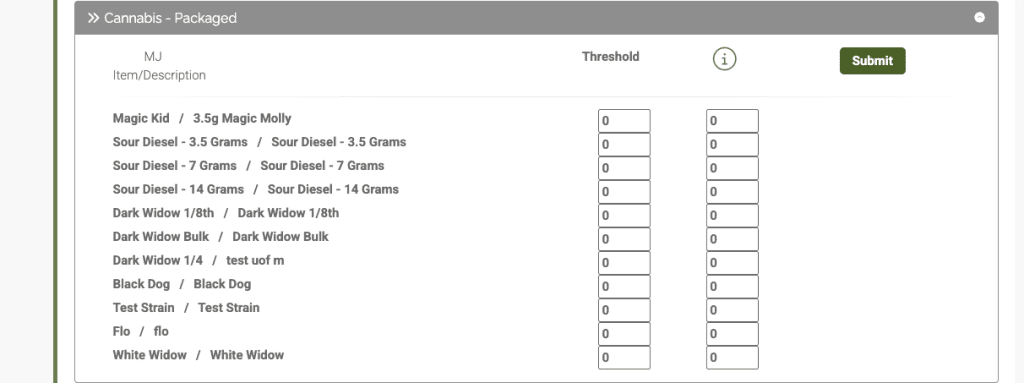
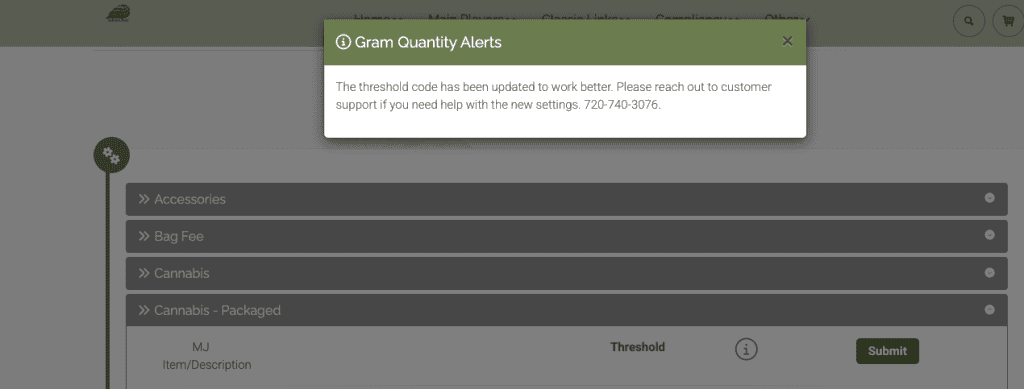
If you have values in the right hand column, you will need to copy them to the left hand column if you want to use the email alerts. The right hand column will still work for the alerts in the shopping cart.
Additionally, if you set the thresholds and the email settings, once you hit the threshold you will receive an email letting you know you have hit that limit. You will continue to receive email alerts each time that product sells until you bring in more product.
As always, please feel free to reach out to Technical Support at 720-740-3076 or email support@adilas.biz if you have any questions, concerns, or suggestions.