


Now you can add multiple lines to a Basic Live PO and Basic Request PO at one time. This only adds the parent, and you will still need to add the sub inventory if needed.
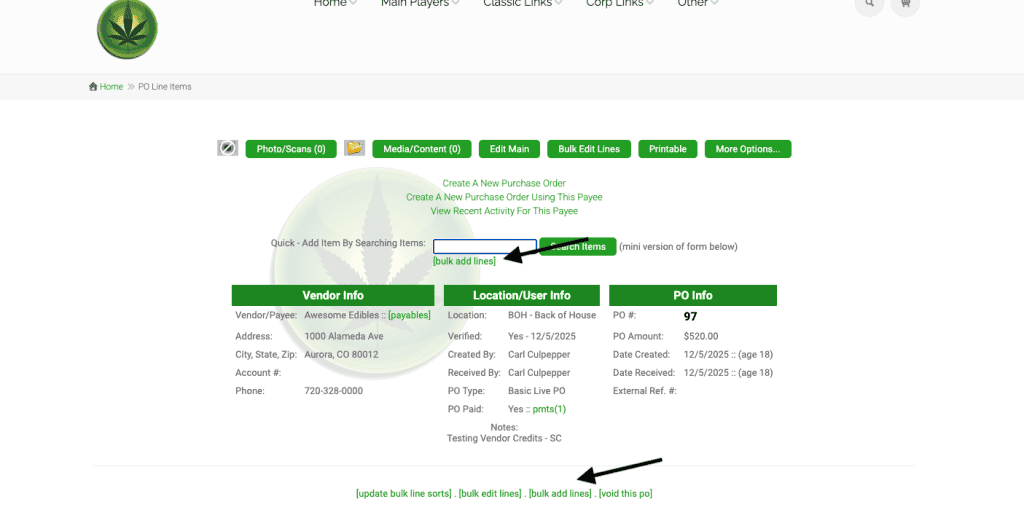
Start a PO as usual. You can click on the link to ‘bulk add lines’ in two places.
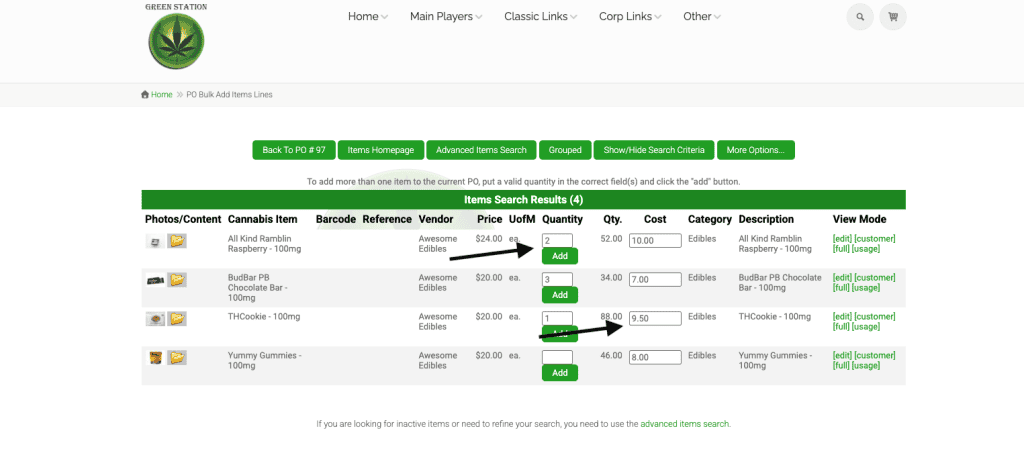
When you click on the link, all items associated with the vendor for the PO will display on the screen. Add in the quantity next to all items you wish to add to the PO and then click the add button on one of them and it will add them all. You can also edit the cost field at this time.
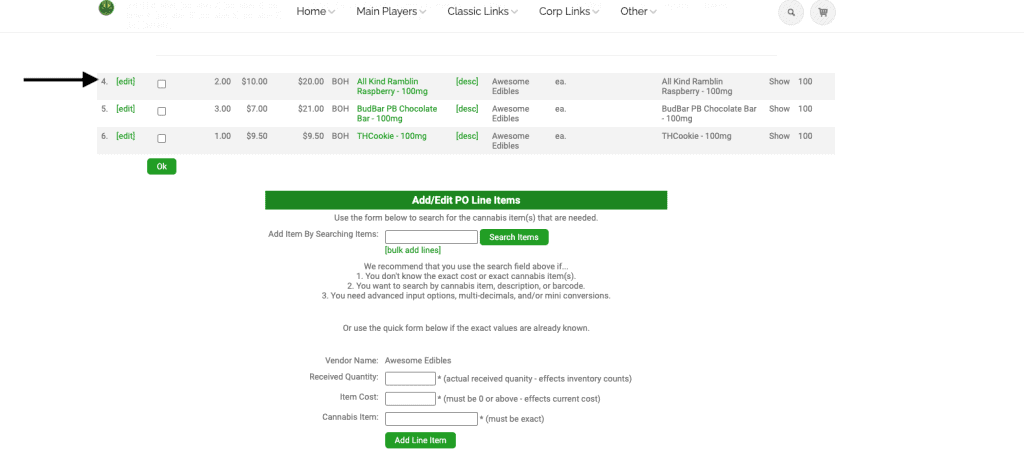
The PO will now have the three items on it. If you are using sub inventory, you will need to click edit on the left hand side of the line to add the sub.
As always, please feel free to reach out to Technical Support at 720-740-3076 or email support@adilas.biz if you have any questions, concerns, or suggestions.